Showing posts with label out. Show all posts
Showing posts with label out. Show all posts
Saturday, July 22, 2017
Dead or Alive 5 Ultimate Nyotengu and New DLC Costumes Out Now Updated
Dead or Alive 5 Ultimate Nyotengu and New DLC Costumes Out Now Updated
Nyotengu, the newest Dead or Alive 5 Ultimate character is now available for download. You can downloaded the DLC right now from Xbox Live and on PSN, when it updates later today. The Nyotengu DLC is priced at $5.99 USD / �4.79 / �5.99. Nyotengu also has the following costumes available: Nurse, Santa, Bathtime, Gym, and Cheerleader for $1.99 USD / �1.59 / �1.99 each.
If you prefer a cheaper alternative, there a couple of Nyotengu bundles available: the Nyotengu Debut Costume Set costs $7.99 USD / �6.39 / �7.99 and contains all 5 of the extra outfits. The Nyotengu Character + Costume Set is priced $12.99 USD / �10.39 / �12.99 and includes Nyotengu and all her additional costumes.
2 other DLC packs are also available today:
1) New Blood Character Set - Download this to use Marie Rose, Phase 4, and Nyotengu in the full version of Dead or Alive 5 Ultimate.
2) New Blood Character + Costumes - All 3 new additions to the DOA5U fighter lineup � Marie Rose, Phase 4, and Nyotengu. Plus all 15 of their debut costumes at a special price!


Tuesday, July 11, 2017
Department of State Service ordered out from Presidential villa by Buhari
Department of State Service ordered out from Presidential villa by Buhari

The questing that every one is struggling with now is, what is the meaning of ( DSS ) and what lead to the order.
DSS means Department of State service that is charge with the responsibility of seeing the President security at all time but after President Buhari assumes office their have been rivalry between the Department
of state Service ( DSS ) and the Nigeria Army which was brought to light yesterday when ( ADC ) ordered ( DSS ) out out of the Presidential Villa.
But Mr Femi Adesina, the Special Adviser to the President on Media and Publicity, said what happened was a realignment of security around the President which entailed that members of the Armed forces would man the inner perimeter of the President security while operatives of the ( DSS ) would man the outer perimeter and their was no such thing about the President expelling personnel from the Department State Service( DSS ) from the presidential villa as the Rumors have been circulating.
Monday, July 3, 2017
Dbus Tutorial Introspection Figuring Out The Rules
Dbus Tutorial Introspection Figuring Out The Rules
Introduction
Introspection
Network Manager
Create a Service
Gobject Introspection
Last time, we discussed what to use dbus for and the basics of structuring a dbus command. We went over how to structure the grammar of a command so it makes sense (mapping the destination, path, method, and message elements), and we went over the syntax (stringing together those elements in a coherent way).
This lesson is about figuring out what methods are available and how to use them.
Introspection
dbus is introspectable. That means you can ask dbus what commands are available.
Heres an introspection example. You can see that the return is XML wrapped inside a string (you dont need to read it all):
$ dbus-send --system --print-reply --dest=org.freedesktop.NetworkManager /org/freedesktop/NetworkManager org.freedesktop.DBus.Introspectable.Introspect
method return sender=:1.4 -> dest=:1.441 reply_serial=2
 string "
<node>
 <interface name="org.freedesktop.DBus.Introspectable">
 <method name="Introspect">
 <arg direction="out" name="data" type="s">
 </arg></method>
 <interface name="org.freedesktop.DBus.Properties">
 <method name="Get">
 <arg direction="in" name="interface" type="s">
 <arg direction="in" name="propname" type="s">
 <arg direction="out" name="value" type="v">
 </arg></arg></arg></method>
 <method name="Set">
 <arg direction="in" name="interface" type="s">
 <arg direction="in" name="propname" type="s">
 <arg direction="in" name="value" type="v">
 </arg></arg></arg></method>
 <method name="GetAll">
 <arg direction="in" name="interface" type="s">
 <arg direction="out" name="props" type="a{sv}">
 </arg></arg></method>
 </interface>
 <interface name="org.freedesktop.NetworkManager">
 <method name="state">
 <arg direction="out" name="state" type="u">
 </arg></method>
 <method name="SetLogging">
 <arg direction="in" name="level" type="s">
 <arg direction="in" name="domains" type="s">
 </arg></arg></method>
 <method name="GetPermissions">
 <arg direction="out" name="permissions" type="a{ss}">
 </arg></method>
 <method name="Enable">
 <arg direction="in" name="enable" type="b">
 </arg></method>
 <method name="Sleep">
 <arg direction="in" name="sleep" type="b">
 </arg></method>
 <method name="DeactivateConnection">
 <arg direction="in" name="active_connection" type="o">
 </arg></method>
 <method name="AddAndActivateConnection">
 <arg direction="in" name="connection" type="a{sa{sv}}">
 <arg direction="in" name="device" type="o">
 <arg direction="in" name="specific_object" type="o">
 <arg direction="out" name="path" type="o">
 <arg direction="out" name="active_connection" type="o">
 </arg></arg></arg></arg></arg></method>
 <method name="ActivateConnection">
 <arg direction="in" name="connection" type="o">
 <arg direction="in" name="device" type="o">
 <arg direction="in" name="specific_object" type="o">
 <arg direction="out" name="active_connection" type="o">
 </arg></arg></arg></arg></method>
 <method name="GetDeviceByIpIface">
 <arg direction="in" name="iface" type="s">
 <arg direction="out" name="device" type="o">
 </arg></arg><<method>
 <method name="GetDevices">
 <arg direction="out" name="devices" type="ao">
 </arg></method>
 <signal name="DeviceRemoved">
 <arg type="o">
 </arg> </signal>
 <signal name="DeviceAdded">
 <arg type="o">
 </arg> </signal>
 <signal name="PropertiesChanged">
 <arg type="a{sv}">
 </arg> </signal>
 <signal name="StateChanged">
 <arg type="u">
 </arg> </signal>
 <signal name="CheckPermissions">
 </signal>
 <property access="read" name="State" type="u">
 <property access="read" name="Version" type="s">
 <property access="read" name="ActiveConnections" type="ao">
 <property access="read" name="WimaxHardwareEnabled" type="b">
 <property access="readwrite" name="WimaxEnabled" type="b">
 <property access="read" name="WwanHardwareEnabled" type="b">
 <property access="readwrite" name="WwanEnabled" type="b">
 <property access="read" name="WirelessHardwareEnabled" type="b">
 <property access="readwrite" name="WirelessEnabled" type="b">
 <property access="read" name="NetworkingEnabled" type="b">
 </property> </property> </property> </property> </property> </property> </property> </property> </property> </property>
 <node name="AccessPoint">
 <node name="ActiveConnection">
 <node name="AgentManager">
 <node name="DHCP4Config">
 <node name="Devices">
 <node name="IP4Config">
 <node name="Settings">
 </node>
" </node> </node> </node> </node> </node> </node>
Lets see if we can translate this into something more human readable.
For example,
<node>
<interface name="org.freedesktop.DBus.Introspectable">
<method name="Introspect">
<arg direction="out" name="data" type="s">
</arg></method>
...
</node>
is the method we used for introspection (remember?).
See the org.freedesktop.DBus.Introspectable.Introspect? The arg direction "out" means the the response, and type "d" means data string).
How to use introspection to create a dbus query or command
Heres a slightly more complex example of an introspection response:
 <interface name="org.freedesktop.DBus.Properties">
 ...
 <method name="GetAll">
 <arg direction="in" name="interface" type="s">
 <arg direction="out" name="props" type="a{sv}">
 </arg> </arg> </method>
...
<interface name="org.freedesktop.NetworkManager">
This generic method, org.freedesktop.DBus.Properties.GetAll, returns a complete dump of all of some other interfaces properties.
Lets go back to grammar (destination, path, method, message) and say that again:
I want to see a dump of Network managers top-level properties.
"Hey Network Manager, please give me a printout of all of Network Managers top-level properties."
Destination: "Hey, Network Manager": org.freedesktop.NetworkManager
Path: "Network Managers": org/freedesktop/NetworkManager
Method: "Give me a printout of properties": org.freedesktop.DBus.Properties.GetAll
Message: "top-level": org.freedesktop.NetworkManager
You probably noticed that this example has some duplication. When working with dbus, get used to it.
Now lets put it into the right syntax:
dbus-send [ --system| --session] --print-reply --dest=DEST PATH METHOD [MESSAGE]
$ dbus-send --system --print-reply
 --dest=org.freedesktop.NetworkManager
 org/freedesktop/NetworkManager
 org.freedesktop.DBus.Properties.GetAll
 string:"org.freedesktop.NetworkManager"
Lets do one more slightly different example:
<interface name="org.freedesktop.NetworkManager">
 ...
 <method name="ActivateConnection">
 <arg direction="in" name="connection" type="o">
 <arg direction="in" name="device" type="o">
 <arg direction="in" name="specific_object" type="o">
 <arg direction="out" name="active_connection" type="o">
 </arg> </arg> </arg> </arg> </method>

 </node>
" </node> </node> </node> </node> </node> </node>
This method, ActivateConnection, makes a known connection into the active network connection. For example, when switching from one access point to another. There are three extra pieces of information needed, and network manager returns one piece of information in the response.
Lets go back to grammar (destination, path, method, message) and say that again:
"Hey Network Manager, make Access Point Foo (using wireless device 0 and network password settings 67) the active connection."
Destination: "Hey, Network Manager": org.freedesktop.NetworkManager
Path: "Network Manager": org/freedesktop/NetworkManager
Method: "Make...the active connection": org.freedesktop.NetworkManager.ActivateConnection
Message 1: "Access Point Foo": org/freedesktop/NetworkManager/AccessPoint/220
Message 2: "wireless device 0": org/freedesktop/NetworkManager/Device/0
Message 3: "network password info 67": org/freedesktop/NetworkManager/Settings/67
Now lets put it into the right syntax:
dbus-send [ --system| --session] --print-reply --dest=DEST PATH METHOD [MESSAGE]
$ dbus-send --system --print-reply
 --dest=org.freedesktop.NetworkManager
 org/freedesktop/NetworkManager
 org.freedesktop.NetworkManager/ActivateConnection
 objpath:"org/freedesktop/NetworkManager/AccessPoint/220"
 objpath:"org/freedesktop/NetworkManager/Device/0"
 objpath:"org/freedesktop/NetworkManager/Settings/67"
Obviously, this example wont work for you unless you do the introspection to find valid Access Points, Devices, and Settings that work together. dbus will tell you a lot of it...if you ask...but its not a user-friendly graphical user interface. You need to ask the right questions and use your own logic.
Making introspection easier is where d-feet comes in.
d-feet makes introspection easy
d-feet is a python application (part of the d-feet package in Debian and Ubuntu) that does introspection for you while you write your program.

In this screenshot, you can see lots of the same introspection information that we retrieved before. Easier to read and understand, isnt it? See how the Interfaces and Methods are listed for each Object Path?
Without d-feet, use the following dbus-send command to find out whats available on the bus:
$ dbus-send --session --print-reply --dest="org.freedesktop.DBus" /org/freedesktop/DBus org.freedesktop.DBus.ListActivatableNames
Now you know how to find the information you need to use dbus properly.
Sunday, April 23, 2017
DESCARGAR The Simpsons™ Tapped Out 4 25 6 APK
DESCARGAR The Simpsons™ Tapped Out 4 25 6 APK

Download APK(48.2 MB) 
Using APKPure App to upgrade The Simpsons�: Tapped Out, fast, free and save your internet data.
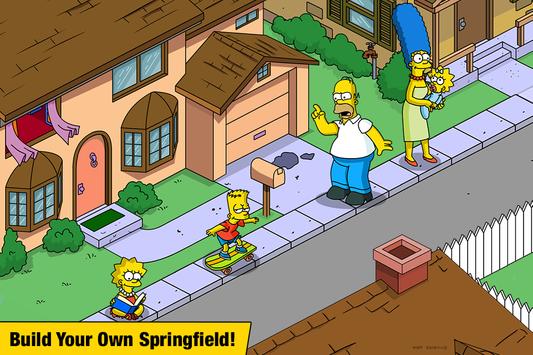
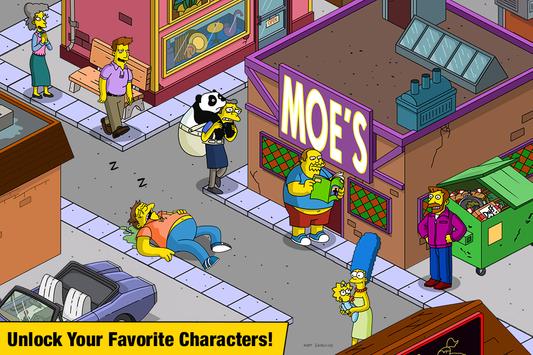
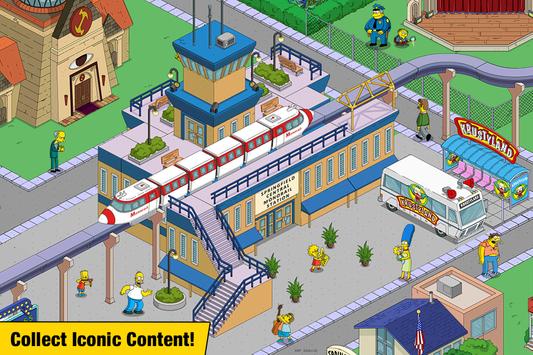
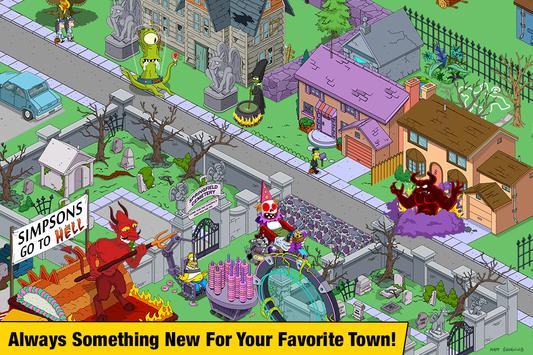


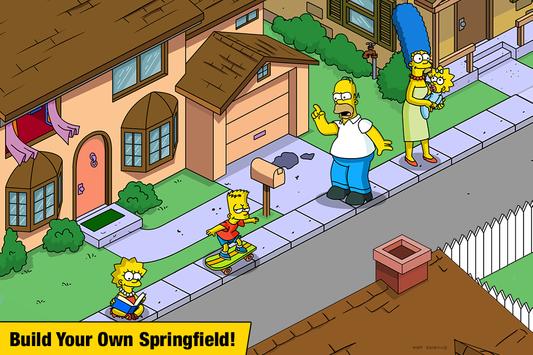
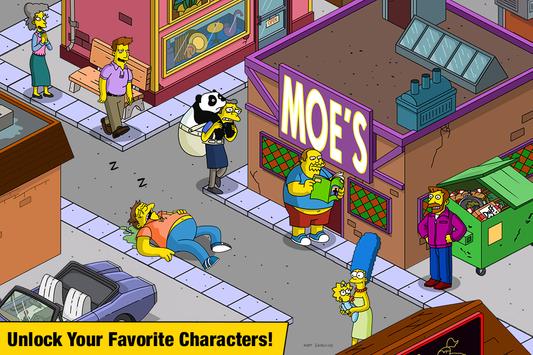
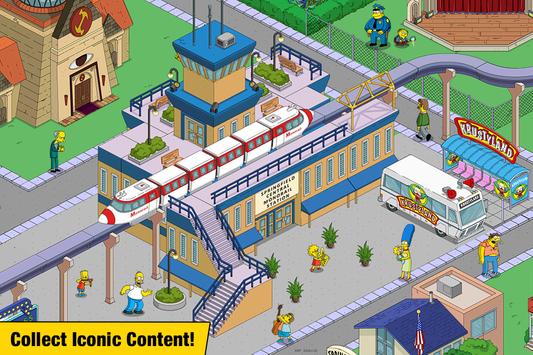
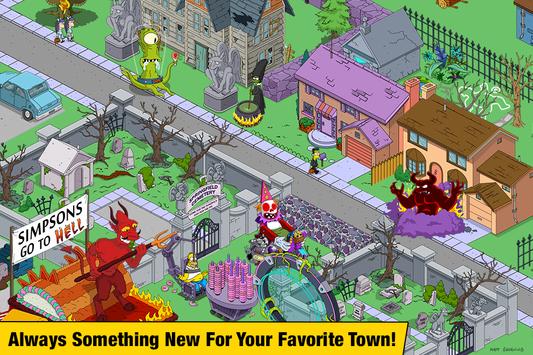


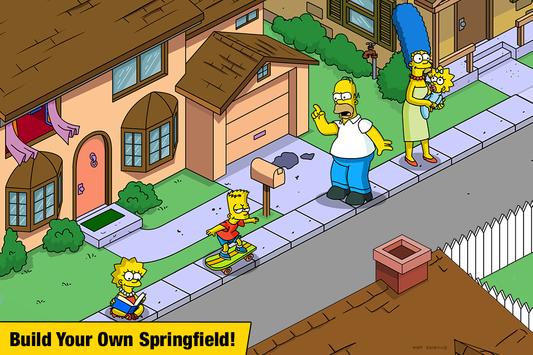
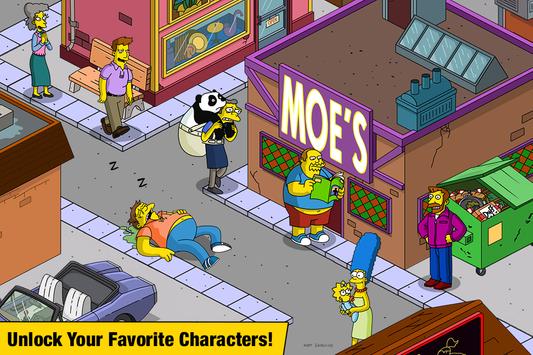
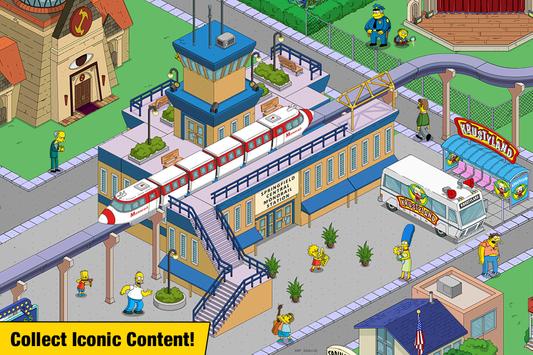
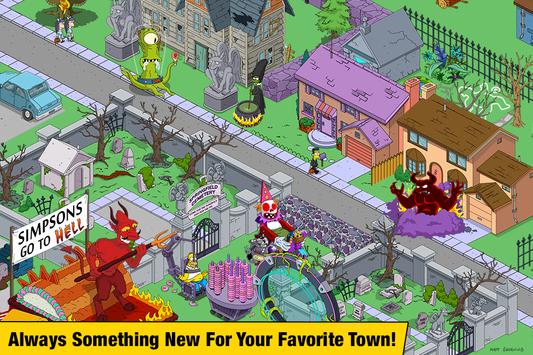


The description of The Simpsons�: Tapped Out
THIS GAME IS LIFE-RUININGLY FUN!
From the writers of The Simpsons, comes the city building game that lets you create your own living, breathing Springfield! When Homer accidently causes a meltdown that wipes out Springfield, it�s up to you to clean up his mess� we mean, help him rebuild it!
Collect Your Favorite Characters
Help reunite Homer with his loved ones - Marge, Lisa, Maggie (and even sometimes Bart) � as well as his not so loved ones, like Ned Flanders. Re-populate Springfield with your favorite characters, from Barflies (Barney Gumble) to Wise Guys (Fat Tony). Add them all, we won�t judge! Dress your characters to the nines with options like Daredevil Bart or Lizard Queen Lisa, and relive scenes from your favorite episodes of The Simpsons!
Take Charge of Your Springfield
Can�t control your own life? Now you can control the lives of the citizens of Springfield instead! Make Apu work ridiculously long shifts at the Kwik-E-Mart, have Moe smuggle illegal animals, or make Homer toil poolside all day� that last one might not be so bad.
Build Your Own Springfield
Think Homer deserves to live next door to Moe�s? Or the monorail can survive a few more sharp twists and turns? Or Krustyland needs 40% more cartoon violence and 40% fewer health inspectors? Well you can finally make Springfield just the way you want it! Expand your town to the Waterfront, grow its businesses with the glamourous shops of Springfield Heights, and enjoy its sights, all with only a few taps.
Experience Unique Simpsons Stories
Catch exclusive animated scenes and new hilarious stories from the writers of The Simpsons. You know they�re good because they write for The Simpsons! Tapped Out is the most life-ruiningly fun Simpsons game you can play!
Always Something New for Your Favorite Town
Springfield might perpetually be on the verge of destruction, buy hey, at least it�s never boring. Whether it�s Halloween monster invasions, superheroes run amok, or chaos caused by one of Homer�s �great� ideas, you�ve got never-ending options to tap!
**This game downloads additional content on first launch that can be up to 1.5GB based on device. We recommend connecting to WIFI the first time you play. This game is also supported with regularly occurring content updates that require additional downloads when released. Please be patient while it loads (we promise it�s worth the wait).**
User Agreement: terms.ea.com
Visit https://help.ea.com/ for assistance or inquiries.
EA may retire online features and services after 30 days� notice posted on www.ea.com/1/service-updates.
Important Consumer Information. This app: Requires a persistent Internet connection (network fees may apply); Requires acceptance of EA�s Privacy & Cookie Policy and User Agreement.
; Origin mobile services are included with this Application. See http://www.eamobile.com/origin and End User License Agreement for details; EA may retire online features and services after 30 days� notice posted on www.ea.com/1/service-updates; EA may retire online features and services after 30-days notice per e-mail (if available) and posted on www.ea.com/de/1/service-updates; Collects data though third party ad serving and analytics technology (See Privacy & Cookie Policy for details); Contains direct links to social networking sites intended for an audience over 13.

DOWNLOAD HERE
Subscribe to:
Posts (Atom)