Showing posts with label ubuntu. Show all posts

Saturday, July 22, 2017

DB2 and Ubuntu whitepaper

DB2 and Ubuntu whitepaper


Andre, Boris, and Hua just put out a new whitepaper:
  • IBM DB2 and Canonical Ubuntu
The synopsis promises that you will:
  • Get started with DB2 on Ubuntu 10.04
  • Understand the differences between all DB2 for Linux, UNIX, and Windows editions.
  • Practice simple SQL queries against a sample database.
Ive made a few blogposts on the same topic in the past couple months:
  • Install DB2 Express-C from official Ubuntu repository
  • RPM and DEB packages for DB2 Express-C

Cheers,

Leons Petrazickis
DB2 Community Team
Read more »

Tuesday, July 18, 2017

Dell sells Ubuntu But its NOT recommended says this CSR

Dell sells Ubuntu But its NOT recommended says this CSR


Surely, I am an advocate of Dell (and system76.com, and now HP for mobile mi(its Ubuntu)) because of their GUTS to sell GNU/Linux to end users! That being said, I wanted for people to see this story to raise awareness. Regular people are getting pushed around, being discouraged from choice, and soldiers of freedom MUST ANSWER! BRING IT ON!!

read more | digg story
Read more »

Sunday, June 18, 2017

Default repositories list in Ubuntu 9 10 sources list

Default repositories list in Ubuntu 9 10 sources list


Yesterday I was having problem installing programs from repositories, because the Ubuntu installation left me with only a few servers. Here I list the default Ubuntu 9.10 repositories (sources.list) file.

# 
# deb cdrom:[Ubuntu-Server 9.10 _Karmic Koala_ - Release i386 (20091027.2)]/ karmic main restricted

#deb cdrom:[Ubuntu-Server 9.10 _Karmic Koala_ - Release i386 (20091027.2)]/ karmic main restricted
# See http://help.ubuntu.com/community/UpgradeNotes for how to upgrade to
# newer versions of the distribution.

deb http://us.archive.ubuntu.com/ubuntu/ karmic main restricted
deb-src http://us.archive.ubuntu.com/ubuntu/ karmic main restricted

## Major bug fix updates produced after the final release of the
## distribution.
deb http://us.archive.ubuntu.com/ubuntu/ karmic-updates main restricted
deb-src http://us.archive.ubuntu.com/ubuntu/ karmic-updates main restricted

## N.B. software from this repository is ENTIRELY UNSUPPORTED by the Ubuntu
## team. Also, please note that software in universe WILL NOT receive any
## review or updates from the Ubuntu security team.
deb http://us.archive.ubuntu.com/ubuntu/ karmic universe
deb-src http://us.archive.ubuntu.com/ubuntu/ karmic universe
deb http://us.archive.ubuntu.com/ubuntu/ karmic-updates universe
deb-src http://us.archive.ubuntu.com/ubuntu/ karmic-updates universe

## N.B. software from this repository is ENTIRELY UNSUPPORTED by the Ubuntu
## team, and may not be under a free licence. Please satisfy yourself as to
## your rights to use the software. Also, please note that software in
## multiverse WILL NOT receive any review or updates from the Ubuntu
## security team.
deb http://us.archive.ubuntu.com/ubuntu/ karmic multiverse
deb-src http://us.archive.ubuntu.com/ubuntu/ karmic multiverse
deb http://us.archive.ubuntu.com/ubuntu/ karmic-updates multiverse
deb-src http://us.archive.ubuntu.com/ubuntu/ karmic-updates multiverse

## Uncomment the following two lines to add software from the backports
## repository.
## N.B. software from this repository may not have been tested as
## extensively as that contained in the main release, although it includes
## newer versions of some applications which may provide useful features.
## Also, please note that software in backports WILL NOT receive any review
## or updates from the Ubuntu security team.
# deb http://us.archive.ubuntu.com/ubuntu/ karmic-backports main restricted universe multiverse
# deb-src http://us.archive.ubuntu.com/ubuntu/ karmic-backports main restricted universe multiverse

## Uncomment the following two lines to add software from Canonicals
## partner repository.
## This software is not part of Ubuntu, but is offered by Canonical and the
## respective vendors as a service to Ubuntu users.
# deb http://archive.canonical.com/ubuntu karmic partner
# deb-src http://archive.canonical.com/ubuntu karmic partner

deb http://security.ubuntu.com/ubuntu karmic-security main restricted
deb-src http://security.ubuntu.com/ubuntu karmic-security main restricted
deb http://security.ubuntu.com/ubuntu karmic-security universe
deb-src http://security.ubuntu.com/ubuntu karmic-security universe
deb http://security.ubuntu.com/ubuntu karmic-security multiverse
deb-src http://security.ubuntu.com/ubuntu karmic-security multiverse


Another method is to rebuild your sources.list file by running Ubuntu Sourcelist Generator
Read more »

Wednesday, May 24, 2017

Delete Skype History in Ubuntu 14 04 LTS

Delete Skype History in Ubuntu 14 04 LTS


If you are a Skype user in Linux, you would have noticed that there is no way of deleting the chat history, which is readily available in Windows. This has already been reported to Skype team by a few users before.

If you are wondering how to remove the history locally, this below answer from askubuntu.com will be helpful.

I was instructed by Skype customer service to do following:
  1. Go to Options -> Privacy and set "Keep chat history for.." to Disable History, then sign out & sign in.
  2. Go to $HOME/.Skype/my_skype_name/ and delete only main.db. Sign out & Sign in.
It worked.


Not sure why this was not the accepted answer. Works perfectly without a windows VM. However, it is strange that Skype team did not attempt to fix this glitch yet.
Read more »

Saturday, May 6, 2017

Desktop Effects and Compiz for Asus eee T91 on Ubuntu 9 10 Karmic Koala

Desktop Effects and Compiz for Asus eee T91 on Ubuntu 9 10 Karmic Koala


To enable advanced desktop effects/compiz on your Asus eee T91 in Ubuntu 9.10 you will first need to install the Poulsbo(psb) drivers. For instructions on installing the psb drivers check out my post here

Once you have the drivers installed you need to tell Compiz to use them
Open a terminal and type the following:
sudo gedit /usr/bin/compiz

find the "Driver Whitelist" (around line 61) it will look something like this
# Driver whitelist
WHITELIST="nvidia intel ati radeon radeonhd i810 fglrx"

add psb to the front of the list so it looks like this:
# Driver whitelist
WHITELIST="psb nvidia intel ati radeon radeonhd i810 fglrx"

Then reboot

You will now be able to enable desktop effects via System->Preferences->Appearance->Visual Effects.

If you want to have the full Compiz including desktop cube etc open a terminal and type:

sudo apt-get install compiz compizconfig-settings-manager compiz-fusion-plugins-main compiz-fusion-plugins-extra emerald librsvg2-common

Then reboot

You can now access Compiz settings via System->Preferences->CompizConfig Settings Manager.

Read more »

Monday, May 1, 2017

db2 install or db2icrt or db2setup fails with memory corruption error on Ubuntu OS

db2 install or db2icrt or db2setup fails with memory corruption error on Ubuntu OS


While i started installation of DB2 data server trail v 10.1 FP0 i got struck with memory corruption error and wasnt able to move forward in installation. So solution to this problem is to install RPM package or else need to move to next fix pack level 1 FP1.

Problem :


db2inst1@ubuntu:~/server$ sudo ./db2setup  

DBI1190I  db2setup is preparing the DB2 Setup wizard which will guide
      you through the program setup process. Please wait.


*** glibc detected *** /tmp/db2.tmp.2521/db2/linuxamd64/install/../java/jre/bin/java: malloc(): memory corruption: 0x00007f35880c0ab0 ***
======= Backtrace: =========
/lib/x86_64-linux-gnu/libc.so.6(+0x7ec66)[0x7f358f61dc66]
/lib/x86_64-linux-gnu/libc.so.6(+0x80e2b)[0x7f358f61fe2b]
/lib/x86_64-linux-gnu/libc.so.6(__libc_malloc+0x75)[0x7f358f6220b5]
/usr/lib/x86_64-linux-gnu/libstdc++.so.6(_Znwm+0x1d)[0x7f356f98dded]


 Solution : sudo apt-get install rpm
 
Here is the problem document from IBM link :

http://www-01.ibm.com/support/docview.wss?uid=swg21611103
Read more »

Sunday, April 23, 2017

Dells Stunning XPS 13 Now With Ubuntu

Dells Stunning XPS 13 Now With Ubuntu


Dell does its magic again. Not one, but two of their iconic laptop sub-brands now comes pre-loaded with Ubuntu OS. Latest edition of Dell XPS 13 has the thinnest of bezels and its Infinity displays are regarded as the best in the market right now. 

dell xps 13 ubuntu edition
Dell launches two new Ubuntu developer edition Laptops
More good news for those looking for Linux offerings from hardware makers. Dell has launched two new Ubuntu based laptops targeted at developers: the Dell XPS 13 laptop and the Dell Precision M3800 mobile workstation.

The Ubuntu-based Dell XPS 13 laptop developer edition is the fourth generation of its series. It boasts of an almost borderless Ultrasharp QHD+ resolution display that offers stunning clarity and colours. One of its models are touchscreen enabled even. According to official Dell website, two models of Ubuntu pre-loaded XPS 13 editions are available:
  • XPS 13 with 5th gen Intel Core i5 processor, 13.3 inch Infinity display, 8 GB RAM, 256 GB SSD and Intel HD Graphics 5500. Price: 899 �
  • XPS 13 with 5th gen Intel Core i7 processor, 13.3 inch UltraSharp QHD+ Infinity touch display, 8 GB RAM, 512 GB SSD and Intel HD Graphics 5500. Price: 1319 �
The limited 8 GB RAM though, can be a deal-breaker for many. Still, XPS 13 is a staggeringly beautiful device in a very compact form factor. Now, lets move to our second candidate. Dell Precision M3800 mobile workstation is a brand new addition to the Dell developer edition lineup. This no-compromise Dell laptop might just be the ideal choice for developers working on Ubuntu platform. It even offers 4K Ultra HD resolution display with touch support. 

Both workstations are now available with the Precision M3800 being available globally and the XP3 13 across North America and Europe. Some useful links below.
  • XPS 13: [UK] [US] [DE]
  • Precision M3800: [UK] [US] [DE]
Announcement by Canonical here. So what do you think folks? How many among you are blown away by XPS 13s stunning display and form factor? Let us know in the comments. 
Read more »

Wednesday, April 19, 2017

DB2 Express C packages for Ubuntu 10 04

DB2 Express C packages for Ubuntu 10 04


DB2 Express-C 9.7.2 packages for Ubuntu 10.04 LTS are now available in the Canonical Partner Repository. Andre has kindly provided the following installation instructions:
1. Uncomment the Partner repository lines by editing the /etc/apt/sources.list file
sudo nano /etc/apt/sources.list
remove the "#" from the "deb http://archive.canonical.com/ubuntu lucid partner" line
remove the "#" from the "deb-src http://archive.canonical.com/ubuntu lucid partner" line
save the file and exit

2. Update the packages list by executing the apt-get update command
sudo apt-get update

3. Install IBM DB2 Express-C 9.7 Fix Pack 2 by executing the apt-get install command
sudo apt-get install db2exc
Of course, you can always install the regular DB2 Express-C .tar.gz on any distribution of Linux:
  • DB2 Express-C for Linux
  • DB2 Express-C for Linux x86-64
  • DB2 Express-C for Linux on POWER
  • DB2 Express-C for Windows
  • DB2 Express-C for Windows x64
  • DB2 Express-C for Solaris x86-64
Administrative tools:
  • Data Studio Standalone
  • Data Studio IDE
Free books:
  • Getting Started with DB2 Express-C 
  • Getting Started with Data Studio

Cheers,

Leons Petrazickis
DB2 Express-C Community Team
Read more »

Saturday, April 8, 2017

Dealing with Ubuntu performance problems if you have an integrated video card

Dealing with Ubuntu performance problems if you have an integrated video card


On my work computer, both the latest Linux Mint and Ubuntu variants had huge performance problems in the last two months. When I had numerous tabs open (some with flash video) in Chrome, the computer turned sluggish, and after some time froze completely. I had to press the reset button once or twice a day lately - and that is really not healthy for the system.

Computer specs:
  • Intel(R) Core(TM)2 Quad CPU    Q9400  @ 2.66GHz
  • 4GB RAM
  • Graphics: Intel� G45/G43 
This spec should is not at all weak in my oppinion, so there must be some driver problem, or the usual culprit: flash.

I believe that the problem was caused by flash. I installed the Flashblock extension in Chrome and also turned off the 3D accelarated unity desktop of Ubuntu by installing gnome-session-fallback and choosing it at next logon.

The combined effect is amazing, the computer is blazing fast again...


Installing gnome-session-fallback:

 sudo apt-get install gnome-session-fallback 

One more thing:

The panels in the fallback mode can only be edited by pressing alt + super + right click...

UPDATE:

The whole problem was caused by the lack of enough ram. Just adding 1GB to the previous 4 that I had eliminated all problems. According to top I use about 4.7GB when using virtualbox.
Read more »

Friday, April 7, 2017

Delorean Dark theme for Ubuntu 13 10 13 04 12 10 12 04 Linux Mint Ubuntu derivatives

Delorean Dark theme for Ubuntu 13 10 13 04 12 10 12 04 Linux Mint Ubuntu derivatives


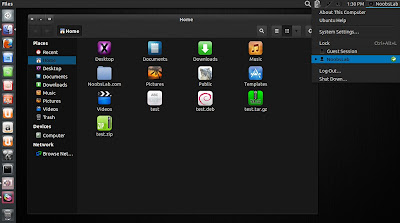
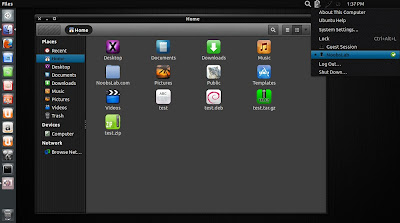
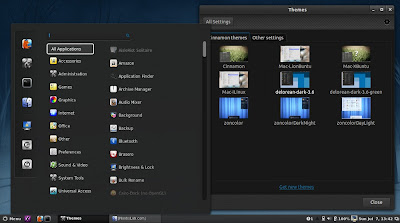
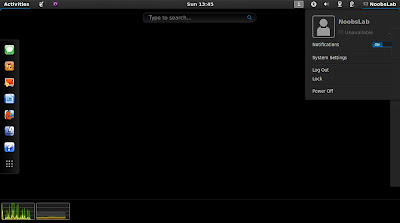
Install DeLorean-Dark theme on Ubuntu 13.10 Saucy/Ubuntu 13.04 Raring/Ubuntu 12.10 Quantal/Ubuntu 12.04 Precise/Ubuntu 11.10/Linux Mint 15/14/13/12 (Gtk3 + Gnome Shell + Cinnamon + Xfce4)

DeLorean-Dark for those who like dark themes, This theme is available for Gnome Shell+GTK 3.4/3.5/3.6/3.8. I tested this theme with Gnome Shell 3.8/3.6 + Gtk 3.8/3.6 and it works perfectly. Theme developer released final version but there can be some bugs, if you found any bug report to developer via source link. This theme is available in two colors blue and green, and it is also available for Xfce4, Cinnamon environments, Which is included in package and you can install it via ppa.
GTK 3.6 version
delorean dark theme


GTK 3.8 version
delorean dark theme


Cinnamon version
delorean dark theme


Gnome Shell version
delorean dark theme


Xfce4 version
delorean dark theme

1st: Download black wallpapers
2nd: iLinux icons used in screenshots. Also checkout icons collection,
3rd: You can use Unity Tweak Tool, Gnome-tweak-tool or Ubuntu-Tweak to change theme/icons.

To install DeLorean-Dark theme on Ubuntu/Linux Mint open Terminal (Press Ctrl+Alt+T) and copy the following commands in the Terminal:


Thats it

Read more »

Sunday, April 2, 2017

Dell lancia una nuova line up di portatili e un all in one con Ubuntu

Dell lancia una nuova line up di portatili e un all in one con Ubuntu


Dell Precision 5720 all-in-one

Dell ha annunciato lampliamento della sua line-up di workstation mobile Precision basata su Ubuntu alla quale si aggiunge per la prima volta il Precision 5720 All-in-One. I nuovi prodotti saranno disponibili a partire da Febbraio negli USA e successivamente nel resto del mondo.
Ecco i nuovi prodotti:

  • Dell Precision 3520, mobile workstation (disponibile da subito negli USA)
  • Dell Precision 5520, mobile workstation (disponibilit� non ancora comunicata)
  • Dell Precision 7520, mobile workstation (disponibile dal 28 Febbraio 2107 negli USA)
  • Dell Precision 7720, mobile workstation (disponibile dal 28 Febbraio 2107 negli USA)
  • Dell Precision 5720, all-in-one (disponibile dal 6 Aprile 2107 negli USA)

Tutti i sistemi saranno equipaggiati con Ubuntu 16.04 LTS e sono caratterizzati da processori di settima generazione Intel� Core� e Intel� Xeon� e avranno il supporto Thunderbolt 3.

Di seguito le caratteristiche complete:

Dell� Precision 3520, mobile workstation
Affordable, fully customizable 15� mobile workstation
Key features
  • Preloaded with Ubuntu 16.04 LTS
  • 7th generation Intel� Core� and Intel� Xeon� processors
  • 15.6� HD (1366�768), FHD (1920�1080) and FHD touch
  • Up to 32GB of memory and 2TB of storage
  • ECC memory, Thunderbolt 3 and NVIDIA graphics
  • Availability: worldwide

Dell Precision 5520, mobile workstation  �  Coming soon
World�s thinnest and lightest 15� mobile workstation
Key features
  • Preloaded with Ubuntu 16.04 LTS
  • 7th generation Intel� Core� and Intel� Xeon� processors
  • 15.6� UltraSharp� FHD (1920�1080) or UltraSharp� UHD (3840�2160)
  • Up to 32GB of memory and 2TB of storage
  • Thunderbolt 3
  • NVIDIA Quadro graphics
  • Availability: worldwide

Dell Precision 7520, mobile workstation � Available Feb 28 in US
World�s most powerful 15� mobile workstation
Key features
  • Preloaded with Ubuntu 16.04 LTS
  • 7th generation Intel� Core� and Intel� Xeon� processors
  • 15.6� FHD (1920�1080), UltraSharp� FHD (1920�1080) both Touch and Non-Touch, UltraSharp� UHD (3840�2160)
  • Up to 64GB of memory and 3TB of storage
  • Thunderbolt 3
  • NVIDIA Quadro� and Radeon Pro� graphics options
  • Availability: worldwide

Dell Precision 7720, mobile workstation � Available Feb 28 in US
World�s most powerful mobile workstation
Key features
  • Preloaded with Ubuntu 16.04 LTS
  • 7th generation Intel� Core� and Intel� Xeon� processors
  • 17.3� HD+ (1600�900), UltraSharp� FHD (1920�1080) or UltraSharp� UHD (3840�2160)
  • Up to 64GB of memory and 4TB of storage
  • Thunderbolt 3
  • NVIDIA Quadro� and Radeon Pro� graphics options
  • Availability: worldwide

Dell Precision 5720, All-in-One � Available April 6
27� All-in-One workstation class machine
Key features
  • Preloaded with Ubuntu 16.04 LTS
  • 7th generation Intel� Core� and Intel� Xeon� processors
  • 27� UltraSharp� UHD (3840�2160) both touch and non-touch
  • Up to 64GB of memory and Up to (1) M.2 PCIe SSD and up to (2) 2.5� SATA
  • Thunderbolt 3
  • Radeon Pro� graphics
  • Availability: worldwide
Via Bartons Blog
Read more »

Saturday, April 1, 2017

Dell Ubuntu Whats Going On

Dell Ubuntu Whats Going On


Dells stance on Ubuntu is supremely confusing. Ubuntu is clearly doing relatively well in the desktop market. There are several smaller vendors building and selling PCs pre-loaded with Ubuntu and doing it well. None of them seem to be going to the wall so they must be doing something right. Something Dell aren�t doing perhaps?

So Ubuntu it�s self simply can�t be the root of the problem.

Which means we need to look at other factors. It was only with the introduction of the Mini 9 Dell started offering Ubuntu as an option side-by-side with Windows. But even then they didn�t really tell people what it was they were offering.

If all you had ever known was chocolate ice cream. Would you try strawberry ice cream if you didn�t know what it was?

Are people overly critical of Dell for hiding their Ubuntu options? I don�t think so. If you were selling ice cream, would you only target people who had already tried it? The fact you�re already selling chocolate ice cream shouldn�t stop you from selling strawberry ice cream.

Almost any other company in the world selling any other product in the world would sell similar products from different vendors side-by-side. They wouldn�t shunt one into the basement.

Now finding Ubuntu based Dells is easy enough if you know where to look and if you know Ubuntu actually exists. But what if you don�t? If all the strawberry ice cream is in the basement and you�ve never even heard of it. How do you try it out? How do you get that first taste?

Lets say you�re out shopping. There�s a nice brightly lit store selling chocolate ice cream galore with all sorts of deals going on. Next to the store are some steps going to a dark dingy basement level with a tiny sign half obscured. It reads �Strawberry Ice Cream here�.

Are you tempted to try the strawberry ice cream?

Read more »